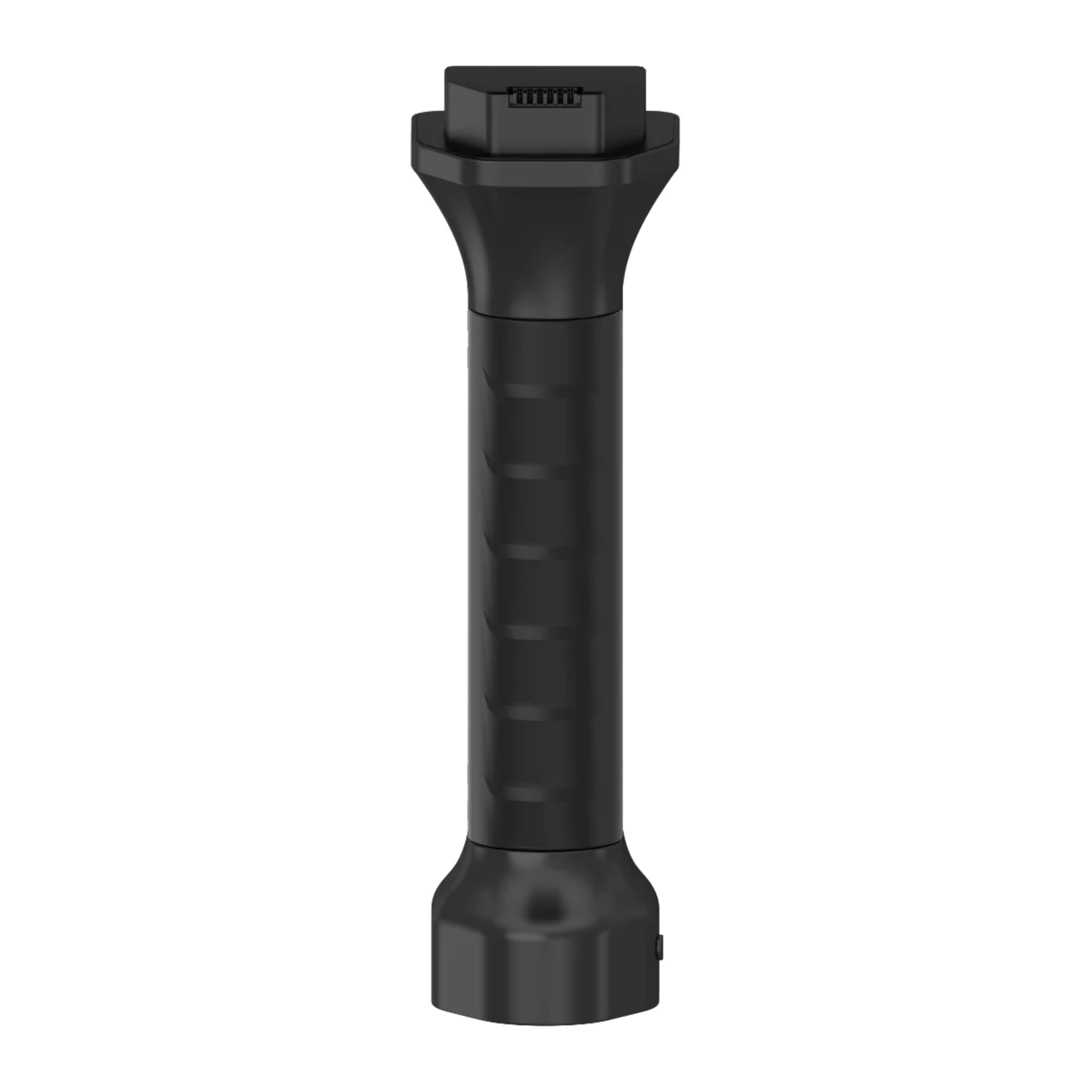
● 45.36 Wh dedicated battery capacity for compatible C1 series scanners.
● 3150 mAh rated capacity designed for the SHARE3DCAM C1 and C1 Pro.
● Supports up to 150 minutes of operation on the C1 Pro.
● Suitable as either a replacement or additional battery for field work.
● Dedicated power accessory for professional surveying and 3D scanning workflows.
About the product:
● 45.36 Wh dedicated battery capacity for compatible C1 series scanners.
● 3150 mAh rated capacity designed for the SHARE3DCAM C1 and C1 Pro.
● Supports up to 150 minutes of operation on the C1 Pro.
● Suitable as either a replacement or additional battery for field work.
● Dedicated power accessory for professional surveying and 3D scanning workflows.
Pay with
Shipped by
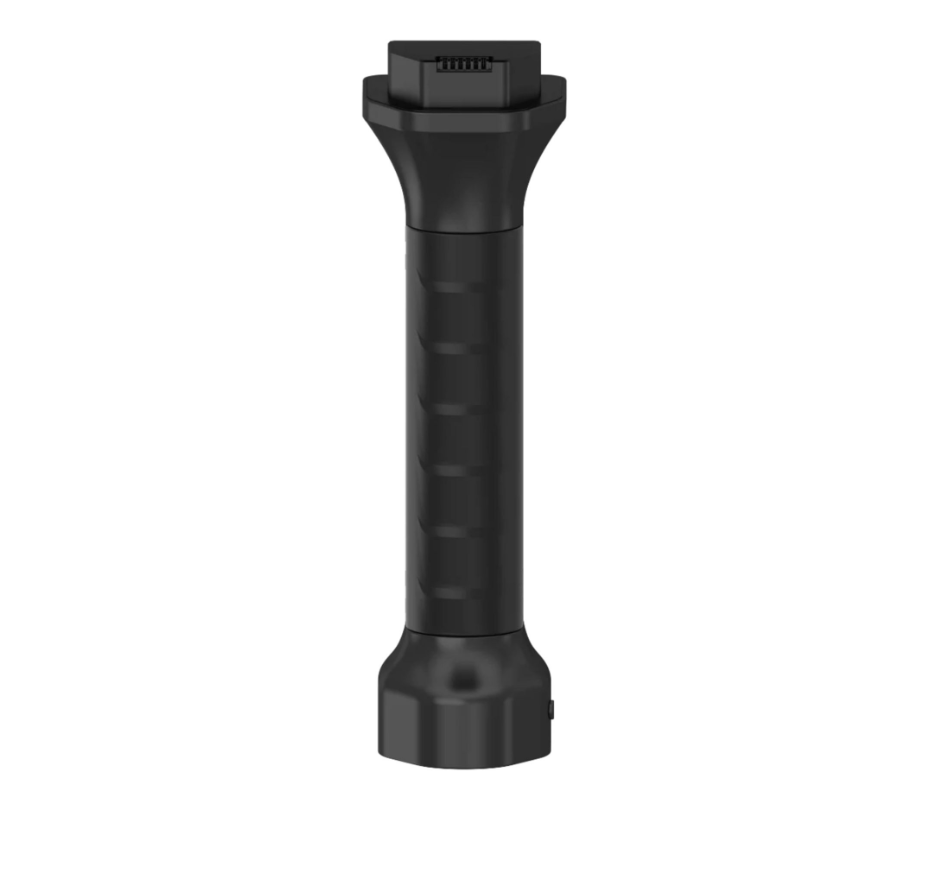
SHARE3DCAM C1 / C1 Pro Battery
Request a Quote
6+ years experience in drone industry
Ships within 24 hours from EU warehouse
2-Year limited warranty
No import duties
Best price guarantee
Free shipping above €100
High customer satisfaction
6+ years experience in drone industry
Ships within 24 hours from EU warehouse
2-Year limited warranty
No import duties
Best price guarantee
Free shipping above €100
High customer satisfaction
SHARE3DCAM C1 / C1 Pro Battery: Dedicated replacement power for extended professional 3D scanning
Introduction
The SHARE3DCAM C1 / C1 Pro Battery is a dedicated replacement battery for the SHARE3DCAM C1 and C1 Pro handheld 3D scanning systems. It is designed for surveyors, mapping professionals, construction teams, engineers, architects, and other users who rely on mobile 3D scanning equipment in demanding field environments. With a verified 45.36 Wh capacity and 3150 mAh rated capacity, it provides dedicated power for compatible scanners. The C1 Pro is specified with up to 150 minutes of operating time, making an additional battery useful for longer scanning assignments and repeated site visits. It is particularly practical when working across construction sites, buildings, terrain, infrastructure, forestry areas, and other locations where convenient access to charging facilities may be limited. The battery can be carried as a spare or used as a replacement for an existing unit, helping keep compatible scanning equipment ready for professional field deployment.
45.36 Wh Capacity and Extended Operating Time
The battery provides dedicated power for the C1 and C1 Pro scanning platforms, with clearly defined specifications for professional field planning.
45.36 Wh Capacity: The battery has a rated energy capacity of 45.36 Wh. This provides a clearly defined power specification when purchasing a replacement or additional battery.
3150 mAh Capacity: With a rated capacity of 3150 mAh, the battery is specifically associated with the SHARE3DCAM C1 and C1 Pro. It provides a dedicated replacement option for the compatible scanner systems.
Up to 150 Minutes: The C1 Pro is specified with battery operation of up to 150 minutes. This gives professionals a useful reference when planning scanning assignments and estimating additional battery requirements.
Dedicated Power Source: The battery is designed specifically for the C1 and C1 Pro rather than being a generic external power solution. This makes it a purpose-built accessory for the compatible scanning equipment.
Field Backup: Carrying an additional battery provides another prepared power source when the installed battery reaches its available capacity. This can help reduce interruptions during mobile scanning work.
Dedicated Compatibility for SHARE3DCAM C1 and C1 Pro
The battery is specifically designed for the C1 series of handheld scanning systems, making it a practical accessory for existing C1 and C1 Pro users.
C1 Compatibility: The battery is listed as a replacement for the SHARE3DCAM C1. C1 operators can keep it as a replacement unit or carry it as an additional battery for planned field assignments.
C1 Pro Compatibility: The same replacement battery is listed for the SHARE3DCAM C1 Pro. This allows C1 Pro operators to maintain an additional dedicated battery within their normal equipment setup.
Direct Replacement: The accessory is identified specifically as a C1 and C1 Pro replacement battery. Users therefore have a clearly defined option when an existing battery needs replacement.
Equipment Preparation: A spare battery can be included with the scanner and other field equipment before travelling to a project site. This allows battery requirements to be considered as part of normal survey preparation.
Operational Flexibility: Additional battery capacity can be useful when scanning larger areas or completing multiple tasks during the same site visit. Operators can prepare their equipment according to the expected duration of the assignment.
Portable Power for Professional Field Scanning
The C1 and C1 Pro are designed for mobile 3D data capture, making reliable battery availability an important part of professional field preparation. The replacement battery provides a dedicated power accessory that can be carried with the scanner and prepared before each assignment.
Surveying Work: Surveyors can carry the replacement battery when collecting spatial data across terrain, roads, construction areas, and other survey environments. The C1 Pro's specified operating time of up to 150 minutes provides a useful reference for field planning.
Construction Documentation: Construction teams can keep an additional battery available when scanning buildings, structures, and work areas. A spare power source provides additional flexibility during longer site visits where the scanner needs to remain mobile.
Mapping Projects: Mapping professionals can include the battery in their standard field equipment when collecting spatial information for 3D documentation and modelling. Its direct C1 and C1 Pro compatibility allows it to support either compatible scanner.
Architectural Surveys: Architects and engineers can carry the battery during building surveys and as built documentation projects. An additional power source helps prepare the scanner for assignments where charging access may not be convenient.
Inspection Applications: Inspection teams can keep the battery available when working through buildings, infrastructure, industrial environments, or other large areas. A dedicated spare provides another power option without requiring the operator to leave the work area for charging.
Practical Accessory for Professional Scanning Equipment
The replacement battery complements the mobile operating model of the C1 and C1 Pro. It provides a dedicated accessory for users who need to keep their scanning equipment prepared for professional assignments.
Replacement Convenience: When the original battery needs to be replaced, this accessory provides a battery specifically identified for the C1 and C1 Pro. This provides a straightforward replacement option for compatible equipment.
Spare Battery Planning: Professional teams can keep an additional battery in their equipment case and deploy it when required. This makes battery availability part of the standard preparation process for field assignments.
Mobile Equipment Support: The C1 Pro uses a dedicated battery system designed for mobile scanning operations. An additional battery complements this operating concept by providing another prepared power source for field work.
Professional Readiness: Keeping the correct replacement battery available helps teams prepare their scanner before travelling to a project site. This is particularly useful for scheduled surveying, construction documentation, mapping, and inspection work.
Equipment Continuity: Having a compatible spare available means the operator has an additional battery ready when the primary unit is unavailable or depleted. This supports more predictable preparation for planned scanning assignments.
Real-World Applications
The SHARE3DCAM C1 / C1 Pro Battery is particularly useful for professionals who depend on their handheld scanner during extended or repeated field assignments.
Land Surveying: Surveyors can carry the battery alongside the C1 Pro when collecting spatial information across outdoor sites, terrain, roads, and other areas. The compatible scanner's specified operating time of up to 150 minutes provides a concrete reference for planning field power requirements.
Construction Surveys: Construction professionals can maintain a spare battery in their equipment case when documenting buildings and work areas. This provides additional flexibility when scanning needs to continue across a larger site.
Forestry Surveys: Forestry professionals can use an additional battery as part of their field equipment when scanning forest areas, tree structures, and surrounding terrain. Having replacement power available is useful when working away from convenient charging facilities.
Architectural Documentation: Architects and engineers can keep the battery available during building surveys and as built documentation. The dedicated replacement provides additional power capacity for mobile scanning tasks performed across interior and exterior spaces.
Heritage Documentation: Teams documenting historic buildings and cultural heritage sites can carry the battery as part of their scanning equipment. The additional power option is useful when working across multiple areas of a site where returning to a charging location would interrupt the capture workflow.
Why SHARE3DCAM C1 / C1 Pro Battery Is Essential
The SHARE3DCAM C1 / C1 Pro Battery is a practical accessory for professionals who depend on their handheld scanner for mobile 3D data capture. Its verified 45.36 Wh capacity and 3150 mAh rating provide a clearly defined replacement power specification for the compatible systems. The battery is specifically listed for both the SHARE3DCAM C1 and C1 Pro, making it suitable for users of either scanner. The C1 Pro is specified with up to 150 minutes of battery operation, giving professionals a useful reference when planning field assignments. Carrying an additional battery can reduce interruptions when the installed battery reaches its available capacity, particularly during work away from convenient charging facilities. For surveyors, engineers, architects, construction teams, mapping specialists, forestry professionals, and inspection crews, keeping a dedicated replacement battery ready is a practical way to improve equipment preparation and field flexibility.
EAN
not available
Product Type
Replacement battery
Battery Capacity
45.36 Wh
Rated Capacity
3150 mAh
Operating Time
Up to 150 minutes
Compatible Product
SHARE3DCAM C1
Compatible Product
SHARE3DCAM C1 Pro
1 x SHARE3DCAM C1 / C1 Pro Battery
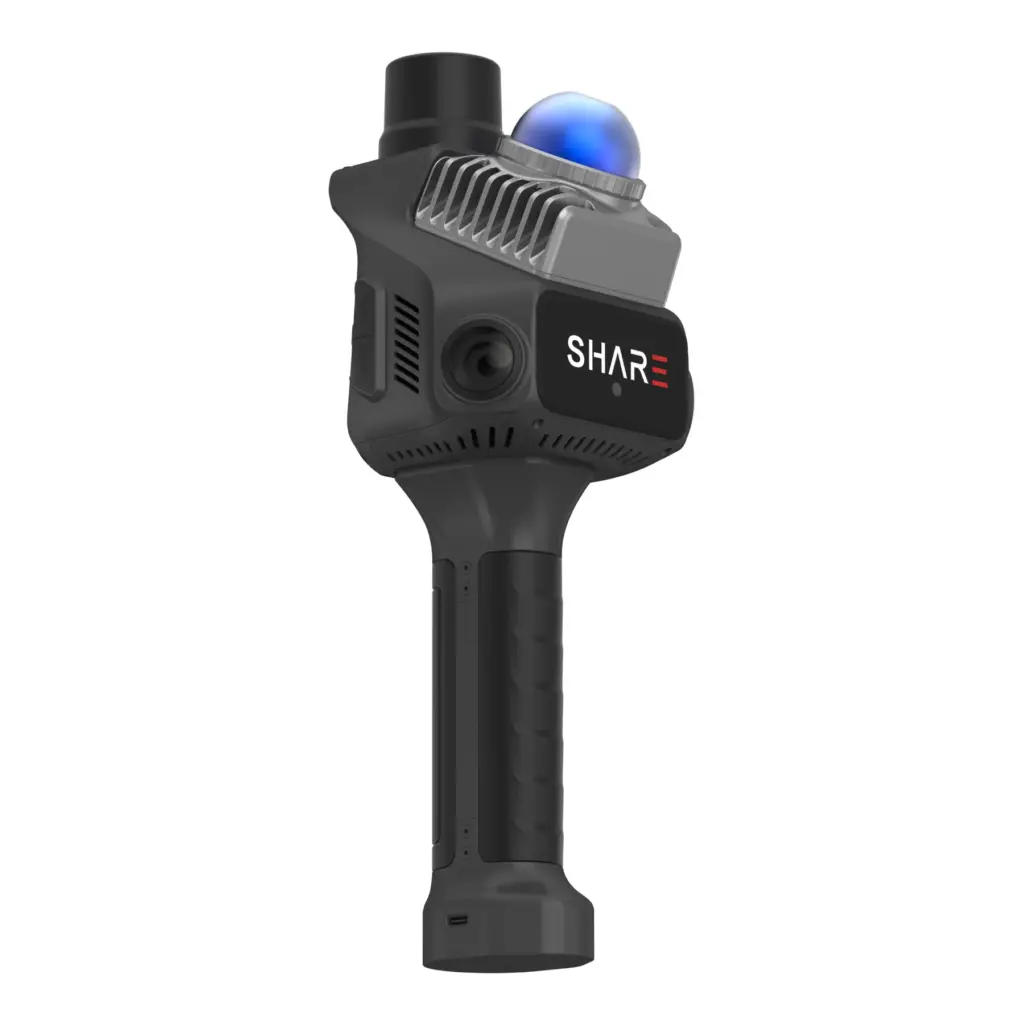
SHARE3DCAM C1
SHARE3DCAM C1 Pro
Renovation Measurement
Can 3D scanning replace manual measurements during renovations?
For many renovation and interior documentation workflows, 3D scanning can replace most repetitive manual measurement work and make site capture faster, more complete, and easier to reuse. In practice, it is best viewed as a workflow improvement for renovation teams rather than a guarantee that every manual check can be eliminated on every project.
What is the best tool for measuring renovation projects?
Commonly used tools include tape measures, laser distance meters, and 3D scanners. Tape measures and laser distance meters are still suitable for simple checks. For complex spaces, repeated verification, modelling, drawing preparation, or coordination between multiple teams, 3D scanning is generally more practical because it captures more spatial context in a single workflow. Renovation measurements, 3D scanning
Can a 3D scanner replace manual on-site measurements?
For many indoor renovation projects, a 3D scanner can replace a large amount of repetitive manual measuring and note-taking. Critical dimensions, concealed spaces, installation details, and tolerance-sensitive checks may still require targeted manual verification. Manual measurements, Workflow limitations
Is 3D scanning suitable for renovating old buildings?
Yes. 3D scanning is often useful when renovating old buildings because the original drawings may be missing, incomplete, or different from the actual on-site conditions. A scan helps teams document the existing situation and create a more reliable reference point before design, measurement, or documentation begins. Old building renovation, Existing conditions
Interior Design
How can interior designers capture site dimensions more efficiently?
Interior designers can use 3D scanning to capture an entire space during a site visit. The point cloud or visual model can then be used as a reference during design preparation. This is especially useful for complex interiors, older buildings, and projects where faster quotation development is required. Interior design, Site dimensions
Can scan data improve communication with the client?
Scan data can help clients and project teams understand a space more clearly than photos or handwritten notes alone. Point clouds, visual representations, and measurable spatial data can support design discussions, quotation reviews, change communication, and coordination between designers, contractors, and clients.
Client communication, Spatial data
Do furniture and obstacles affect scan results?
They can. A scanner records visible conditions, so furniture, partitions, people, and clutter can cause local obstructions. Better route planning, capturing the space from multiple angles, and targeted verification can reduce their impact.
Obstruction, Capture path
Construction and As-Built Documentation
What is 3D scanning used for in construction documentation?
3D scanning can convert site conditions into verifiable and measurable spatial data. It is useful for documenting existing conditions, progress documentation, as-built documentation, coordination, and handover support.
Construction documentation, Site data
Can scan results support as-built documentation?
Yes. Scan results can support as-built documentation by providing a digital record of the actual site conditions. They can be used to verify measurements, compare progress, prepare drawings and handover documents, and discuss issues. However, final deliverables should still be checked against the applicable project standards.
As-built documentation, Handover documents
Point Clouds, CAD and BIM
What can point cloud data be used for?
Point cloud data can be used to verify measurements, assess spatial context, provide a reference for models, create CAD drawings, prepare BIM workflows, support coordination, and produce project documentation.
Point cloud, CAD
How is LiDAR scan data converted into CAD?
LiDAR scan data is usually processed into point clouds first. Software can then help generate or support CAD drawings. In practice, teams still need to review and edit the drawings according to drafting standards and project requirements.
DWG, Drawing output
Can scan data be used in CAD, SketchUp, or BIM workflows?
Yes. Scan data is often used as a reference for CAD drafting, SketchUp modelling, BIM preparation, measurement verification, and coordination. It should be viewed as a reliable spatial reference and workflow input rather than a fully automated replacement for professional drafting or modelling work.
CAD, BIM, SketchUp
Product Selection
How should teams choose a scanner for renovation and interior documentation?
Teams should evaluate workflow suitability rather than looking only at specifications. Practical factors include capture speed, ease of indoor use, output formats, software processing, team onboarding, and the requirements of later CAD, BIM, or documentation workflows.
Scanner selection, Workflow suitability
What are the SHARE SLAM S20 and S100 commonly used for?
The SHARE SLAM S20 is commonly used for handheld indoor capture, renovation measurements, interior spaces, and compact site documentation. The SHARE SLAM S100 is generally used for larger spaces, more complex sites, outdoor capture, mixed indoor and outdoor capture, and professional mobile mapping workflows.
SHARE SLAM S20, SHARE SLAM S100
Software Ecosystem
What do SHARE Capture and SHARE PointClouds Studio do?
SHARE Capture supports on-site capture, device connectivity, and fieldwork. SHARE PointClouds Studio supports point cloud processing workflows, data analysis, 3DGS model generation, CAD drawing preparation, and documentation.
If you’re a business located within the European Union (outside of the Netherlands), you may be eligible to purchase without VAT if you provide a valid EU VAT number.
How it works:
Enter your EU VAT number at checkout.
Our system will verify it automatically.
If the VAT number is valid, the VAT will be removed from your order total.
This option applies to both businesses outside and within the Netherlands, but a valid VAT number is required.
Stock and shipping information
We strive to keep you informed about the availability and shipping timelines for each product. Here’s how it works:
In Stock: This item is currently in stock and ready for dispatch. Stock may be located in one of our EU warehouses. All orders ship from a central EU location, so if the item is stored in a different EU warehouse, we will first transfer it to our central warehouse before shipping it directly to you. This may add a small delay, but our team prioritizes quick processing to minimize any wait time.
Available on Order: This item is not currently in stock, but we can order it for you. Once we place the order, it typically takes up to 3 weeks for the item to arrive at our central EU warehouse. From there, it will be shipped to you. Please note this extended timeline when planning your purchase.
Out of Stock: This item is currently unavailable for purchase. If you’re interested in obtaining this product, you can apply to join the Waitlist on the product page. By joining the Waitlist, you’ll receive an email notification as soon as the product is back in stock. Alternatively, feel free to contact us directly if you’d like more information about future availability.
If you have any questions or would like more detailed information about the availability or estimated arrival date for a specific item, please don’t hesitate to reach out to our support team.
SHARE3DCAM C1 / C1 Pro Battery
Request a quote
We’ll get back to you within one business day.
By sending this quote request, you agree to our Privacy Policy.
SHARE3DCAM C1 / C1 Pro Battery
Request Information
We’ll get back to you within one business day.
By sending this quote request, you agree to our Privacy Policy.
Request Information
We’ll get back to you within one business day.
By sending this quote request, you agree to our Privacy Policy.
We use cookies on our website to give you the most relevant experience by remembering your preferences and repeat visits. By clicking “Accept”, you consent to the use of ALL the cookies. However you may visit Cookie Settings to provide a controlled consent.
This website uses cookies to improve your experience while you navigate through the website. Out of these cookies, the cookies that are categorized as necessary are stored on your browser as they are essential for the working of basic functionalities of the website. We also use third-party cookies that help us analyze and understand how you use this website. These cookies will be stored in your browser only with your consent. You also have the option to opt-out of these cookies. But opting out of some of these cookies may have an effect on your browsing experience.
Cookie
Type
Duration
Description
__cf_bm
persistent
30 minutes
Cloudflare set the cookie to support Cloudflare Bot Management.
__kla_id
persistent
1 year 1 month 4 days
Klaviyo sets this cookie to collect information on the visitor’s behavior. This information is used for internal analytics and to optimise the website. It also registers if the visitor has subscribed to a news letter.
__kla_viewed
persistent
never
Klaviyo sets this cookie to collect information on the user's website navigation and preferences.
_drip_client_*
persistent
1 year 1 month 4 days
Drip sets this cookie to track user behaviour on a website and to collect information about the user's preferences and interests.
_ga
persistent
1 year 1 month 4 days
Google Analytics sets this cookie to calculate visitor, session and campaign data and track site usage for the site's analytics report. The cookie stores information anonymously and assigns a randomly generated number to recognise unique visitors.
_ga
1 year 1 month 4 days
Google Analytics sets this cookie to calculate visitor, session and campaign data and track site usage for the site's analytics report. The cookie stores information anonymously and assigns a randomly generated number to recognise unique visitors.
_ga_*
persistent
1 year 1 month 4 days
Google Analytics sets this cookie to store and count page views.
_ga_*
1 year 1 month 4 days
Google Analytics sets this cookie to store and count page views.
_gat
persistent
1 minute
Google Universal Analytics sets this cookie to restrain request rate and thus limit data collection on high-traffic sites.
_gat_UA-*
persistent
1 minute
Google Analytics sets this cookie for user behaviour tracking.
_gcl_au
persistent
3 months
Google Tag Manager sets the cookie to experiment advertisement efficiency of websites using their services.
_gid
persistent
1 day
Google Analytics sets this cookie to store information on how visitors use a website while also creating an analytics report of the website's performance. Some of the collected data includes the number of visitors, their source, and the pages they visit anonymously.
_sn_a
persistent
1 year
SleekNote sets this cookie to measure visitor analytics. in order to identify the visitor across sessions, a visitor ID is set.
_sn_m
persistent
1 year
SleekNote sets this cookie to record information used for marketing-related targeting options.
_sn_n
persistent
1 year
SleekNote sets this cookie to ensure that the user only gets the Sleeknote popup on the first visit.
_uetsid
persistent
1 day
Bing Ads sets this cookie to engage with a user that has previously visited the website.
_uetvid
persistent
1 year 24 days
Bing Ads sets this cookie to engage with a user that has previously visited the website.
CONSENT
persistent
2 years
YouTube sets this cookie via embedded YouTube videos and registers anonymous statistical data.
cookielawinfo-checkbox-advertisement
persistent
1 year
Set by the GDPR Cookie Consent plugin, this cookie records the user consent for the cookies in the "Advertisement" category.
cookielawinfo-checkbox-analytics
persistent
11 months
This cookie is set by GDPR Cookie Consent plugin. The cookie is used to store the user consent for the cookies in the category "Analytics".
cookielawinfo-checkbox-functional
persistent
11 months
The cookie is set by GDPR cookie consent to record the user consent for the cookies in the category "Functional".
cookielawinfo-checkbox-necessary
persistent
11 months
This cookie is set by GDPR Cookie Consent plugin. The cookies is used to store the user consent for the cookies in the category "Necessary".
cookielawinfo-checkbox-others
persistent
11 months
This cookie is set by GDPR Cookie Consent plugin. The cookie is used to store the user consent for the cookies in the category "Other.
cookielawinfo-checkbox-performance
persistent
11 months
This cookie is set by GDPR Cookie Consent plugin. The cookie is used to store the user consent for the cookies in the category "Performance".
CookieLawInfoConsent
persistent
1 year
CookieYes sets this cookie to record the default button state of the corresponding category and the status of CCPA. It works only in coordination with the primary cookie.
CookieLawInfoConsent
1 year
CookieYes sets this cookie to record the default button state of the corresponding category and the status of CCPA. It works only in coordination with the primary cookie.
elementor
persistent
never
The website's WordPress theme uses this cookie. It allows the website owner to implement or change the website's content in real-time.
elementor
never
The website's WordPress theme uses this cookie. It allows the website owner to implement or change the website's content in real-time.
IDE
persistent
1 year 24 days
Google DoubleClick IDE cookies store information about how the user uses the website to present them with relevant ads according to the user profile.
MUID
persistent
1 year 24 days
Bing sets this cookie to recognise unique web browsers visiting Microsoft sites. This cookie is used for advertising, site analytics, and other operations.
SNS
persistent
session
This is an analytic cookie used to collect information like how the website is being used and to check how effective the marketing campaigns are.
test_cookie
persistent
15 minutes
doubleclick.net sets this cookie to determine if the user's browser supports cookies.
viewed_cookie_policy
persistent
11 months
The cookie is set by the GDPR Cookie Consent plugin and is used to store whether or not user has consented to the use of cookies. It does not store any personal data.
viewed_cookie_policy
1 year
The GDPR Cookie Consent plugin sets the cookie to store whether or not the user has consented to use cookies. It does not store any personal data.
VISITOR_INFO1_LIVE
persistent
5 months 27 days
YouTube sets this cookie to measure bandwidth, determining whether the user gets the new or old player interface.
wp-wpml_current_language
persistent
session
WordPress multilingual plugin sets this cookie to store the current language/language settings.
YSC
persistent
session
Youtube sets this cookie to track the views of embedded videos on Youtube pages.
yt-remote-connected-devices
persistent
never
YouTube sets this cookie to store the user's video preferences using embedded YouTube videos.
yt-remote-device-id
persistent
never
YouTube sets this cookie to store the user's video preferences using embedded YouTube videos.
yt.innertube::nextId
persistent
never
YouTube sets this cookie to register a unique ID to store data on what videos from YouTube the user has seen.
yt.innertube::requests
persistent
never
YouTube sets this cookie to register a unique ID to store data on what videos from YouTube the user has seen.
Analytical cookies are used to understand how visitors interact with the website. These cookies help provide information on metrics the number of visitors, bounce rate, traffic source, etc.
Cookie
Duration
Description
__kla_id
1 year 1 month 4 days
Klaviyo sets this cookie to collect information on the visitor’s behavior. This information is used for internal analytics and to optimise the website. It also registers if the visitor has subscribed to a news letter.
_drip_client_*
1 year 1 month 4 days
Drip sets this cookie to track user behaviour on a website and to collect information about the user's preferences and interests.
_ga
1 year 1 month 4 days
Google Analytics sets this cookie to calculate visitor, session and campaign data and track site usage for the site's analytics report. The cookie stores information anonymously and assigns a randomly generated number to recognise unique visitors.
_ga
1 year 1 month 4 days
Google Analytics sets this cookie to calculate visitor, session and campaign data and track site usage for the site's analytics report. The cookie stores information anonymously and assigns a randomly generated number to recognise unique visitors.
_ga_*
1 year 1 month 4 days
Google Analytics sets this cookie to store and count page views.
_ga_*
1 year 1 month 4 days
Google Analytics sets this cookie to store and count page views.
_gat
1 minute
Google Universal Analytics sets this cookie to restrain request rate and thus limit data collection on high-traffic sites.
_gat_UA-*
1 minute
Google Analytics sets this cookie for user behaviour tracking.
_gcl_au
3 months
Google Tag Manager sets the cookie to experiment advertisement efficiency of websites using their services.
_gid
1 day
Google Analytics sets this cookie to store information on how visitors use a website while also creating an analytics report of the website's performance. Some of the collected data includes the number of visitors, their source, and the pages they visit anonymously.
_sn_a
1 year
SleekNote sets this cookie to measure visitor analytics. in order to identify the visitor across sessions, a visitor ID is set.
CONSENT
2 years
YouTube sets this cookie via embedded YouTube videos and registers anonymous statistical data.
SNS
session
This is an analytic cookie used to collect information like how the website is being used and to check how effective the marketing campaigns are.
Necessary cookies are absolutely essential for the website to function properly. These cookies ensure basic functionalities and security features of the website, anonymously.
Cookie
Duration
Description
cookielawinfo-checkbox-analytics
11 months
This cookie is set by GDPR Cookie Consent plugin. The cookie is used to store the user consent for the cookies in the category "Analytics".
cookielawinfo-checkbox-functional
11 months
The cookie is set by GDPR cookie consent to record the user consent for the cookies in the category "Functional".
cookielawinfo-checkbox-necessary
11 months
This cookie is set by GDPR Cookie Consent plugin. The cookies is used to store the user consent for the cookies in the category "Necessary".
cookielawinfo-checkbox-others
11 months
This cookie is set by GDPR Cookie Consent plugin. The cookie is used to store the user consent for the cookies in the category "Other.
cookielawinfo-checkbox-performance
11 months
This cookie is set by GDPR Cookie Consent plugin. The cookie is used to store the user consent for the cookies in the category "Performance".
CookieLawInfoConsent
1 year
CookieYes sets this cookie to record the default button state of the corresponding category and the status of CCPA. It works only in coordination with the primary cookie.
elementor
never
The website's WordPress theme uses this cookie. It allows the website owner to implement or change the website's content in real-time.
viewed_cookie_policy
1 year
The GDPR Cookie Consent plugin sets the cookie to store whether or not the user has consented to use cookies. It does not store any personal data.
viewed_cookie_policy
11 months
The cookie is set by the GDPR Cookie Consent plugin and is used to store whether or not user has consented to the use of cookies. It does not store any personal data.
Functionele cookies helpen bij het uitvoeren van bepaalde functionaliteiten, zoals het delen van de inhoud van de website op sociale mediaplatforms, het verzamelen van feedback en andere functies van derden.
Cookie
Duration
Description
__cf_bm
30 minutes
Cloudflare set the cookie to support Cloudflare Bot Management.
_sn_n
1 year
SleekNote sets this cookie to ensure that the user only gets the Sleeknote popup on the first visit.
wp-wpml_current_language
session
WordPress multilingual plugin sets this cookie to store the current language/language settings.
Advertentiecookies worden gebruikt om bezoekers relevante advertenties en marketingcampagnes aan te bieden. Deze cookies volgen bezoekers over websites heen en verzamelen informatie om aangepaste advertenties te kunnen tonen.

 English
  Nederlands
 Français
 Deutsch
 Español
 Italiano


